BRAINS/ProfitSword Access Requests
Kissflow is used to submit BRAINS Access Request forms. Managers and above can log in to Kissflow to submit access requests. If you do not have access to Kissflow, please pass the link to your manager or have them search for the "BRAINS - Access Request" app in Kissflow.
Access-level questions on form:
Will this Employee require access to Labor? Yes/No
Will this Employee require access to Labor? Yes/No
Will this Employee require permissions to more than their home property? Yes/No
BRAINS Access Request Kissflow link: https://hhm.kissflow.com/view/process/BRAINS_Access_Request/form
Example Submission: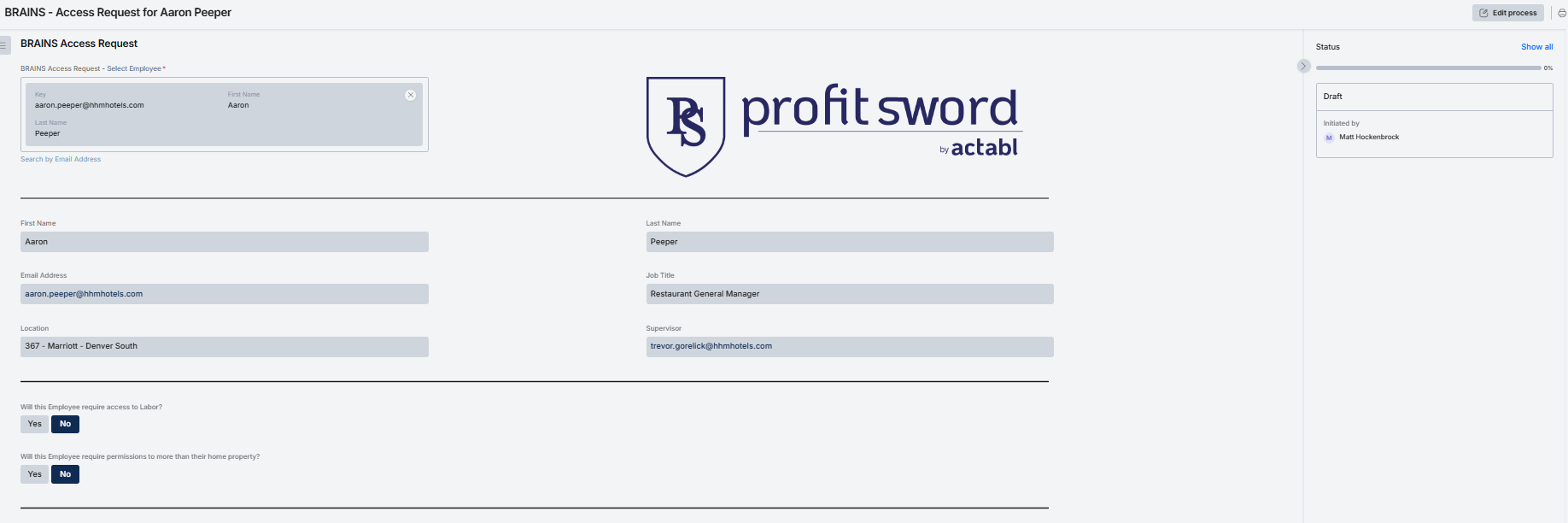
Related Articles
Request access to BRAINS
Open the BRAINS app resource page on Inside HHM Open https://sites.lumapps.com/a/hhm/inside/brains-business-app-resource in your web browser. Click Request Access to BRAINS Clicking this will open a form in KiSSFLOW for you to fill out to request ...Brains 2024 Business Plan Access Issues
1. Log out of BRAINS. 2. Clear your cache. See full steps here: Clear your browser cache in Chrome 3. Log back in and navigate to the page. 4. Click the pencil. 5. Wait about 45 seconds and try the pencil again. 6. Refresh the page if it doesn't ...BRAINS Overview
For BRAINS access, password resets and general questions please contact brainsadmin@hhmlp.com. Check out the BRAINS app resource page on Inside HHM to find FAQs, the link to BRAINS and more ...Process Overview - KF - Hotel Effectiveness - Access Request
Kissflow/Access Requests can only be submitted by Supervisors. If you do not have access to Kissflow or this form, please request submissions from your Supervisor. Access Request Link: ...ProfitSword Journals Outbound INT6001/INT6002 - Daily: SOP, Mapping, Scheduling
Here is a Standard Operating Procedure (SOP) document summarizing the interaction, configuration, and execution of the INT6001 and INT6002 Accounting Journals Outbound integrations. This document is designed for the HRIS/Financial Systems team ...